Identify your Clip or Card generationUpdated 2 months ago
How to Identify Your Pebblebee Clip or Card Generation
Pebblebee has introduced improvements to our most loved products — the Clip and Card.
While both generations look similar, the second-generation models include enhanced functionality and design upgrades.
Here’s how to tell which version you have.
Clip Gen 1 vs. Clip Gen 2
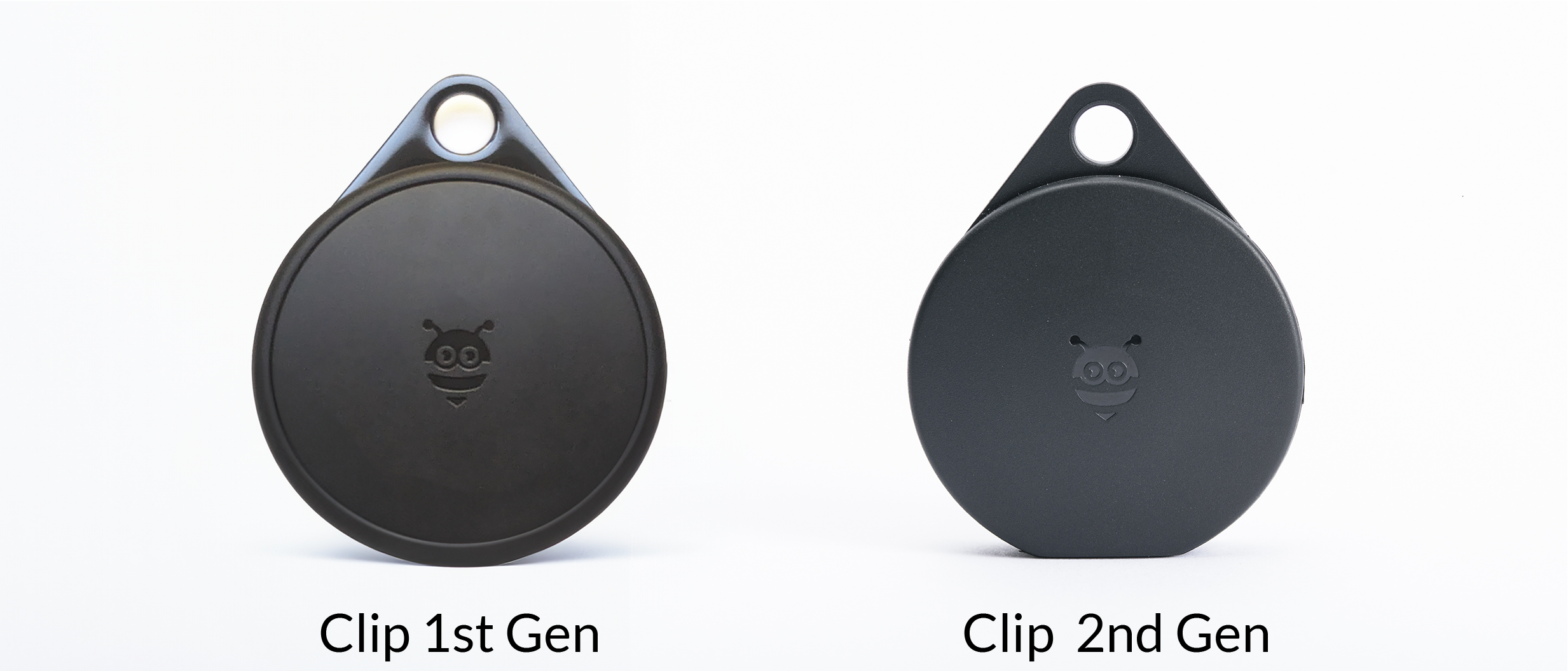
Clip Gen 1
Shiny key ring holder
Visible borderline around the front and back
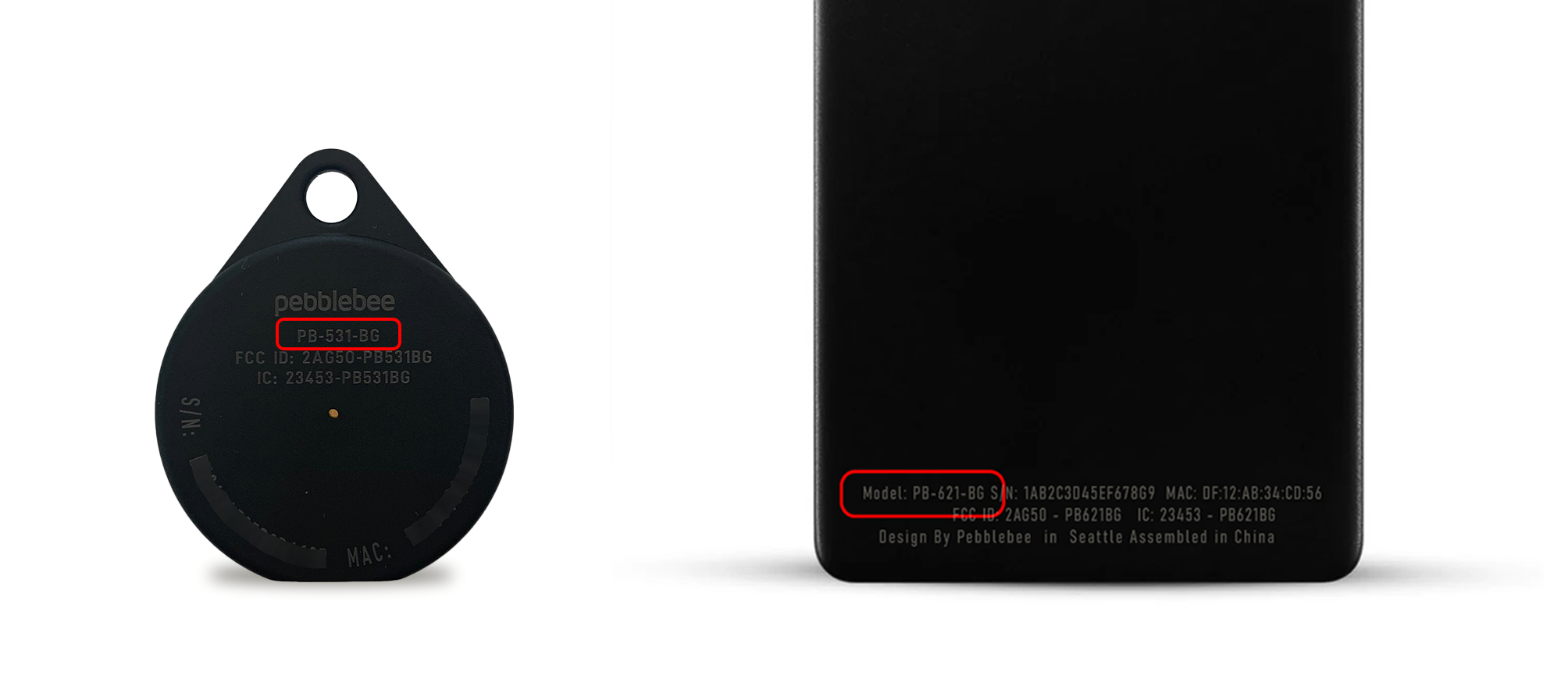
Model PB-521-B printed on the back
Clip Gen 2
Matte key ring finish
Smooth, single-piece edge design
Model PB-531-BG or PB-531-S printed on the back
Improvements on Clip Gen 2
Longer battery life — up to 12 months on a single charge
Increased range
Louder sound
Lighter design
Card Gen 1 vs. Card Gen 2
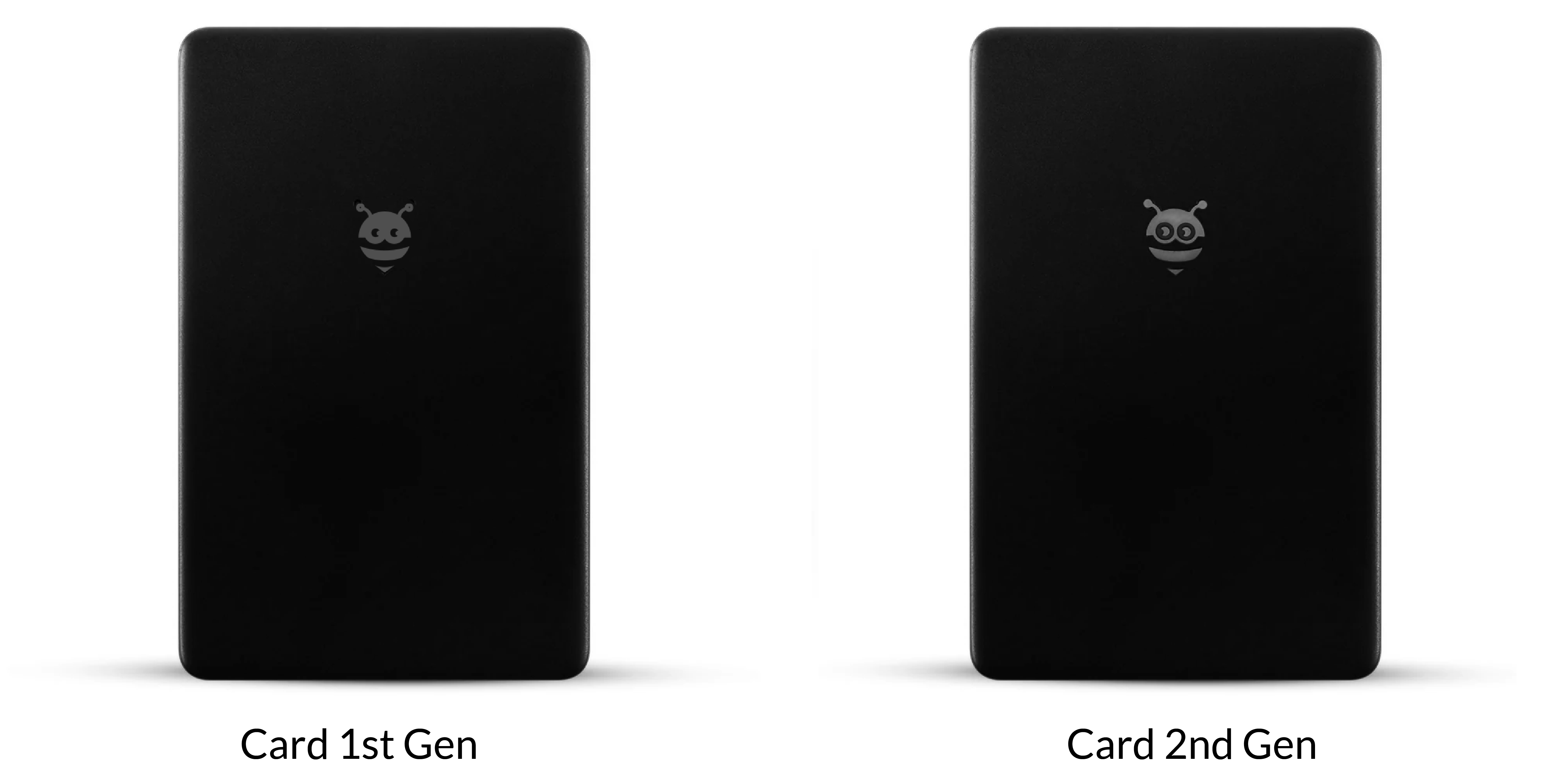
Card Gen 1
Pebblebee logo eyes have no borderlines
Model PB-621-B printed on the back
Card Gen 2
Pebblebee logo eyes have borderlines
Model PB-621-BG or PB-621-S printed on the back
Improvements on Card Gen 2
Longer battery life — up to 18 months on a single charge
Increased range for better tracking performance
How to Check Your Device Model
If you’re still unsure which version you own:
Look for the model number printed on the back of your Pebblebee device.
Use a bright light source or your phone flashlight to make the model easier to read.
Tip: You can also check the Pebblebee Products section to identify your device model.